
Communication
Reach everyone — without the noise. Send SMS, email and push notifications to exactly the audience concerned, straight from the member register. No separate tools, no outdated lists.
What you can do
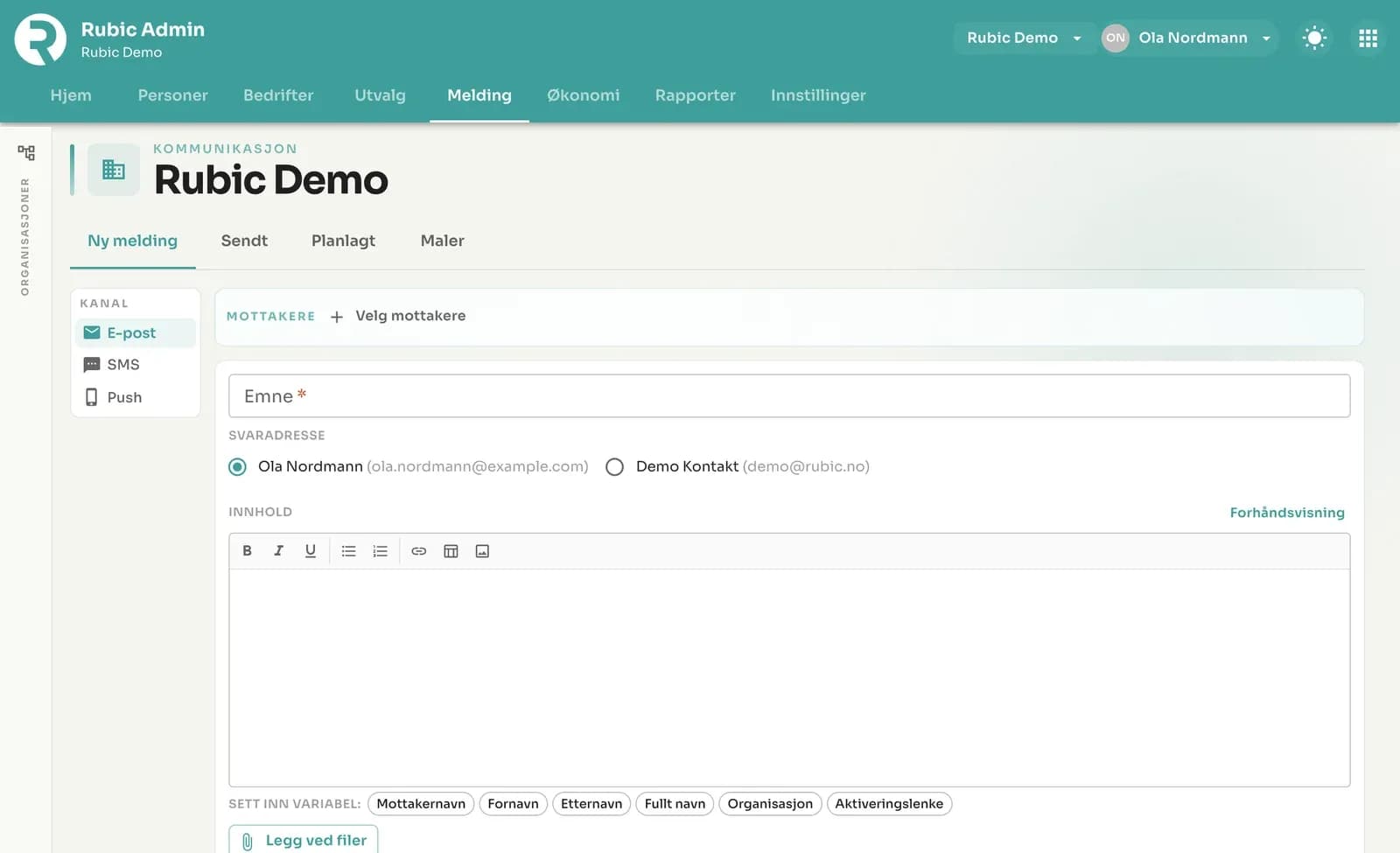
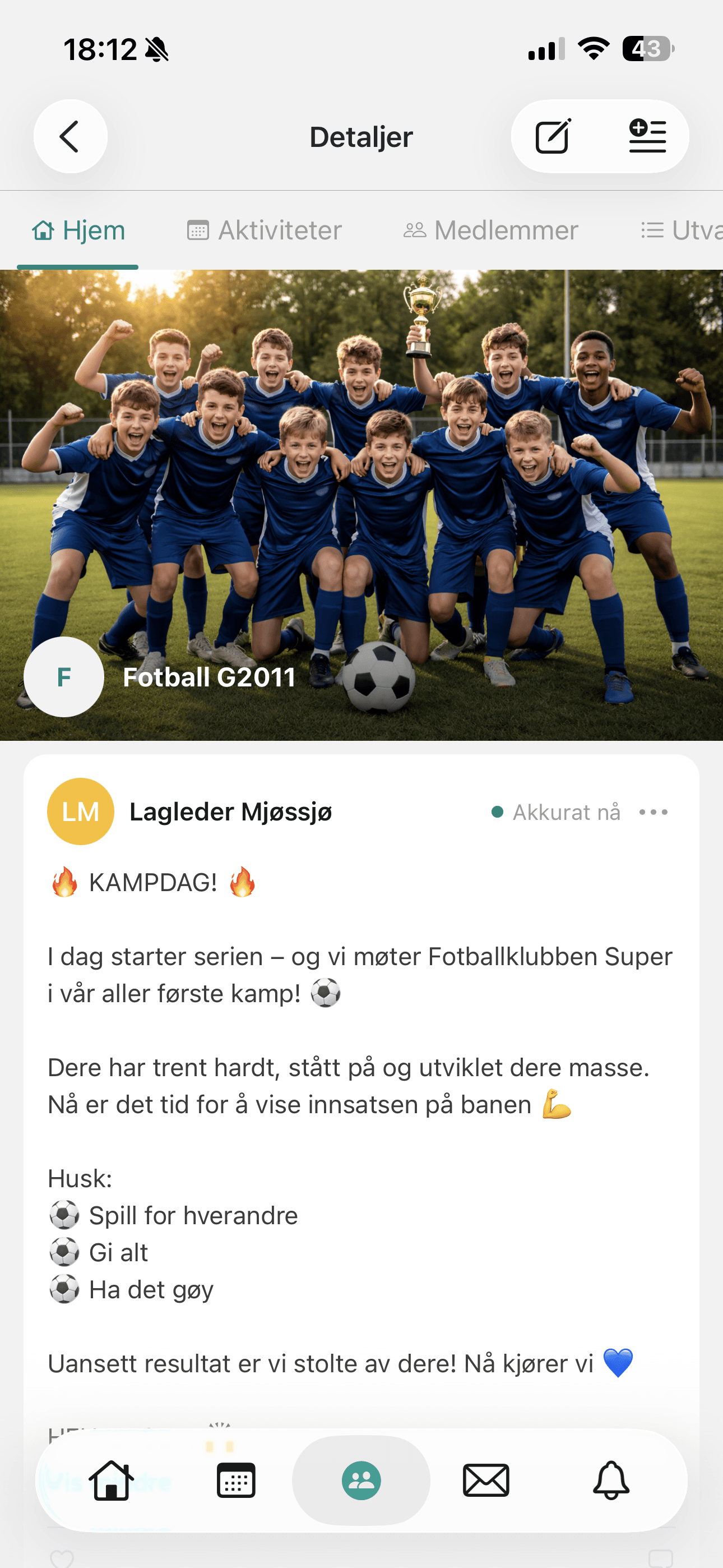
- Send SMS, email and push to selected groups or the whole organisation
- Target by group, local branch, elected role, volunteers or participants
- Send reminders about payment, meeting points and changes
- Use templates for recurring mailings
- See delivery and read status
Good to know about Communication
Recipients can be individuals, selections, roles, the entire member list, companies and customers, and email addresses not registered in Rubic. You can also select people in the people list and click Send message.
Read more in the help centre (opens in a new tab)Email and SMS can also go to parents and guardians when the member is under an age you choose.
Read more in the help centre (opens in a new tab)Selections are saved lists (e.g. the board or the volunteer crew) that can be shared with a person, a role or an organisation, and used both for messages and for activity registration.
Read more in the help centre (opens in a new tab)
Messages to one team, an age group or the whole club — without chasing people in private threads.
Rubic Sport →For associations and organisationsNotices of the annual general meeting, newsletters and alerts to selected levels of the organisation.
Rubic Medlem →For event organisersNotify volunteers and participants before and during the event.
Rubic Arrangør →Who is Communication for?
- Organisations that want to reach the right audience without external tools
- Boards and administrators who want messages sent out quickly and traceably
- Event organisers who need to notify many people at short notice
How to do it in Rubic
Step-by-step guides for Communication, written by our support team. The articles are in Norwegian.
All help articles →- Lag et utvalgEt utvalg er en lagret liste med personer, for eksempel styret, dugnadsgjengen eller alle som skal på treningsleir.
- Meldinger – send og administrer samtalerUnder Meldinger i Rubic Portal (connect.rubic.no) leser og sender du meldinger i samtalene du er en del av, og starter nye samtaler med medlemmer i gruppene …
- Planlagte og sendte meldinger, og malerFanene øverst under Melding gir deg oversikt over det som er sendt, det som skal sendes, og hvordan automatiske meldinger ser ut.
- Send e-post, SMS eller pushUnder Melding sender du beskjeder til medlemmer, grupper eller hele organisasjonen.
- SMS eller e-post kommer ikke fremSlik finner du ut hvorfor en melding fra Rubic Admin ikke kom frem.
Frequently asked questions
What does SMS cost?
SMS costs from NOK 1 per message. Email and push notifications are included.
Can we target our mailings?
Yes — recipient lists are built directly from the member register, so you can reach, for example, just one team, one local branch or everyone with a particular role.
See Rubic in action
Book a 30-minute walkthrough, or try it yourself for 30 days.