
Activities
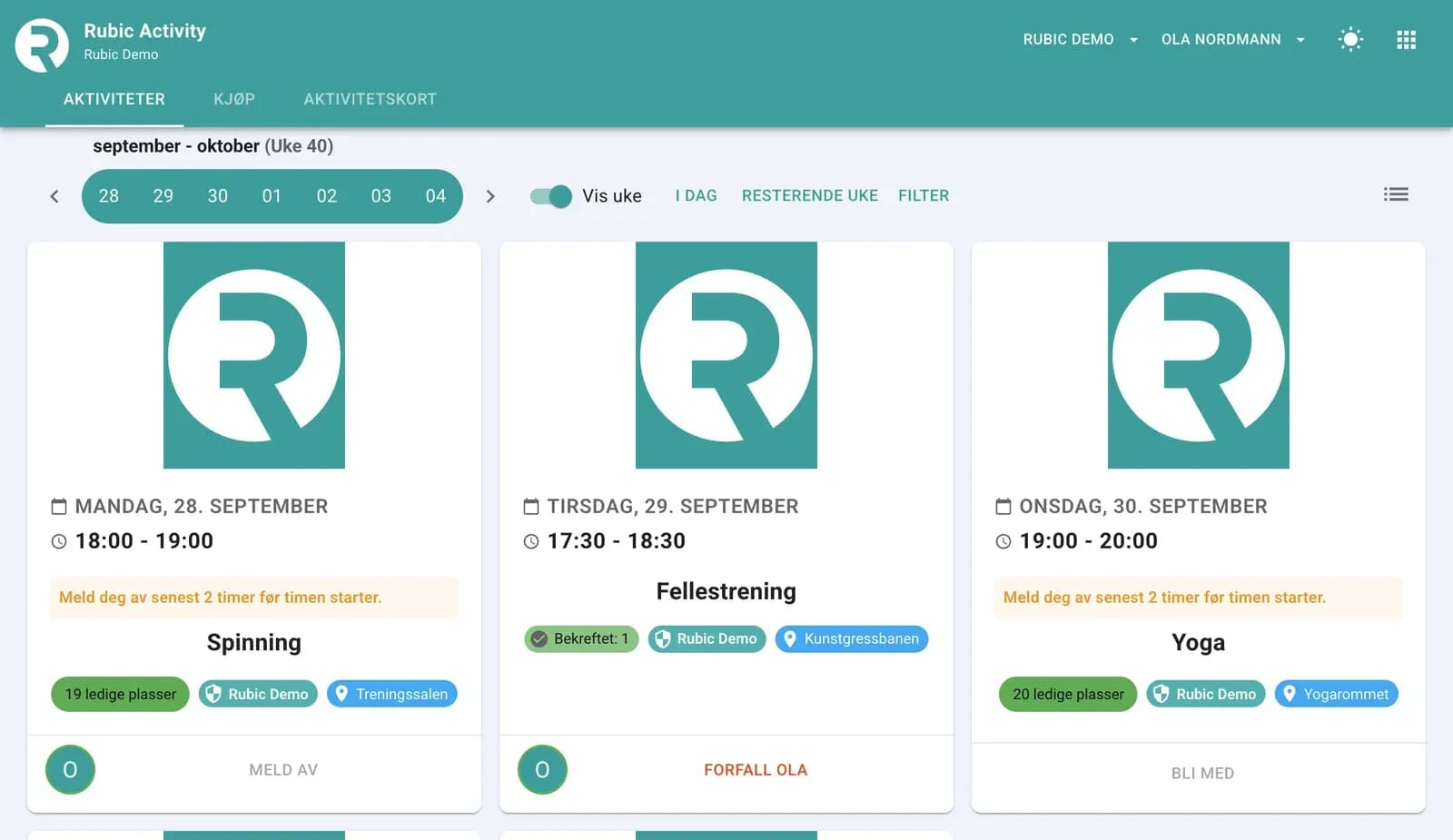
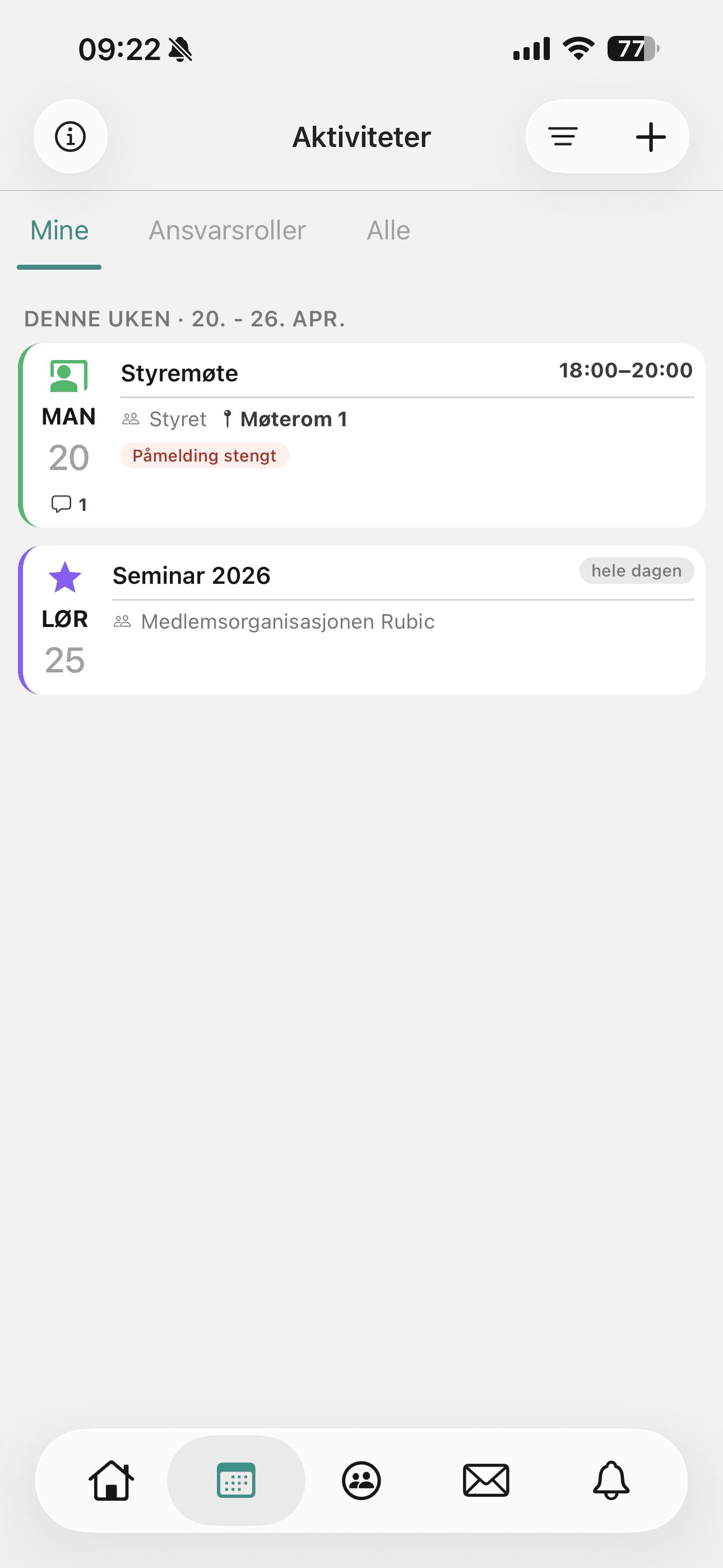
Plan, share and follow up everything that happens — training sessions, meetings, gatherings, courses and events. Members sign up and cancel in the app, and attendance is recorded digitally.
What you can do
- Create single activities and recurring series
- Let members sign up and cancel via app or web
- Record attendance digitally from your phone
- See attendance statistics over time
- Link activities to venues (Facilities) and payments
Good to know about Activities and calendar
Templates
Create a fixed setup for each type of class or training session (e.g. “Group class” or “League match”). The name, duration, registration and notifications are then filled in automatically, and you just choose the date and time.
Read more in the help centre: Templates (opens in a new tab)The page has two registration flows
Registration (everyone who meets the requirements signs up themselves) and Invited (you invite by group, people, selection, role or responsibility role, and they reply yes or no).
Read more in the help centre: The page has two registration flows (opens in a new tab)
Training sessions, matches and gatherings with digital attendance registration.
Rubic Sport →For associations and organisationsMeetings, courses, gatherings and events with registration.
Rubic Medlem →For event organisersProgramme items and internal gatherings during the event.
Rubic Arrangør →Who is Activities for?
- Organisations with regular training sessions, meetings or courses
- Coaches and group leaders who want to avoid manual attendance lists
- Administrators who want to see activity and attendance in one place
How to do it in Rubic
Step-by-step guides for Activities and calendar, written by our support team. The articles are in Norwegian.
All help articles →- Slik inviterer du til en aktivitetSkal et lag eller bestemte personer svare ja eller nei på en aktivitet, bruker du påmeldingsflyten Inviterte i Rubic Aktivitet (activity.rubic.no).
- Påmeldingsflyt: påmelding eller inviterteI Rubic Aktivitet (activity.rubic.no) velger du påmeldingsflyt på malen og på hver aktivitet.
- Slik oppretter du en mal for aktiviteterEn mal er oppsettet en aktivitet starter fra i Rubic Aktivitet (activity.rubic.no).
- Oppmøteregistrering og aktivitetsrapporterI Rubic Portal (connect.rubic.no) kan du se oppmøtet på aktivitetene i gruppene dine og hente ut rapporter per person, aktivitet eller gruppe.
- Kom i gang med Rubic AktivitetRubic Aktivitet (activity.rubic.no) er aktivitetskalenderen til organisasjonen: treninger, kamper, gruppetimer og andre aktiviteter med påmelding.
Show all 9 articles
- Slik oppretter og administrerer du en aktivitetEn aktivitet i Rubic Aktivitet (activity.rubic.no) kan være en enkelt time, trening eller kamp, eller en serie som gjentas hver uke.
- Slik legger du til og administrerer deltakereSom administrator kan du legge til deltakere på en aktivitet i Rubic Aktivitet (activity.rubic.no), registrere oppmøte og flytte folk mellom deltakerliste …
- Slik setter du opp påmeldingsavgiftSkal deltakerne betale for å bli påmeldt en aktivitet, legger du inn en påmeldingsavgift i Rubic Aktivitet (activity.rubic.no).
- Slik bruker du venteliste på en aktivitetMed venteliste kan personer stille seg i kø når en aktivitet i Rubic Aktivitet (activity.rubic.no) er full.
Frequently asked questions
Can members sign up themselves?
Yes — signing up and cancelling happen in the Rubic Connect app or online, and the lists update in real time.
See Rubic in action
Book a 30-minute walkthrough, or try it yourself for 30 days.