
Access management
Assign permissions per role: board, general manager, team manager, auditor or specific people. Nobody sees more than they should.
Gather minutes, agreements, statutes and reports in one place with role-based access. The board can always find the latest version.
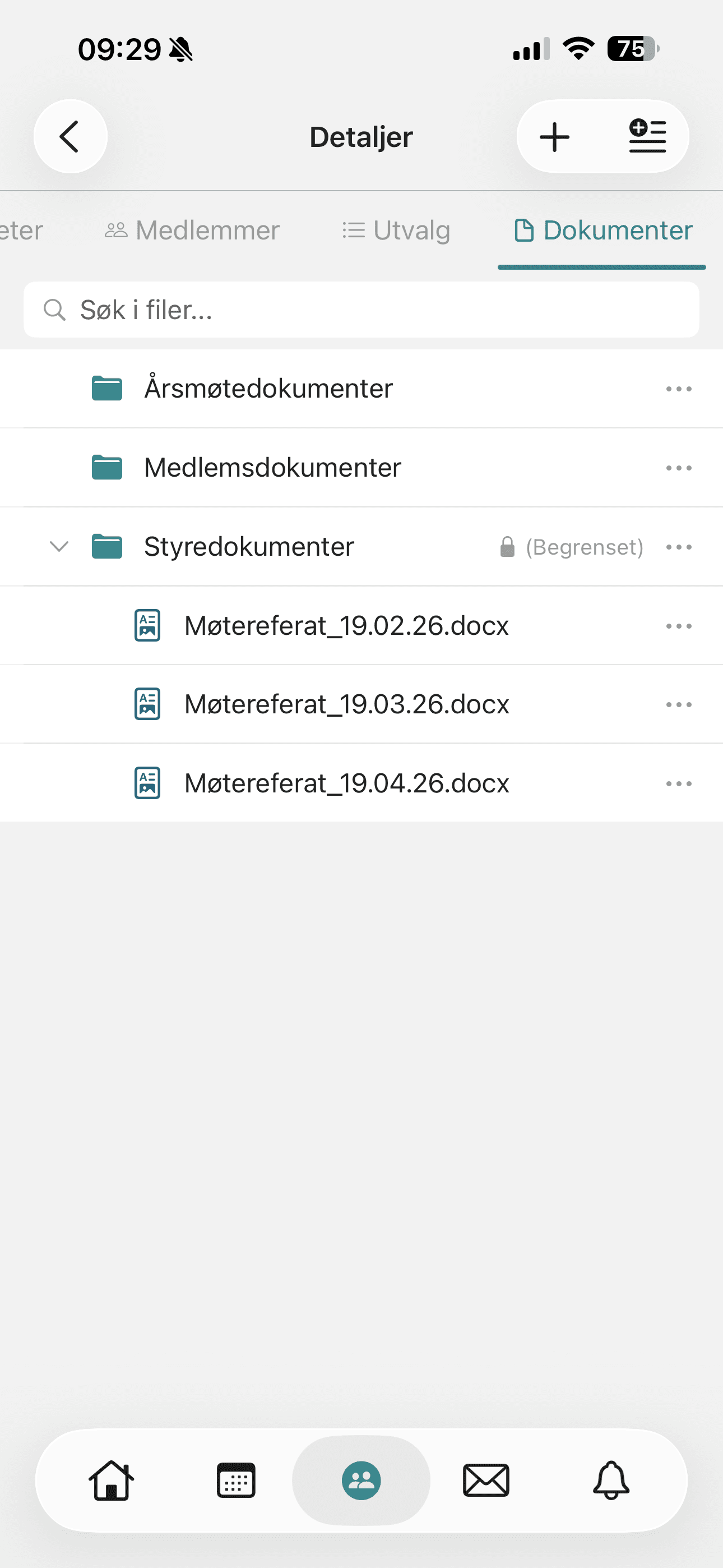
Most associations have important documents scattered across Dropbox, Google Drive, email attachments and someone's personal computer. When a treasurer or chair leaves, the history disappears — or it sits somewhere nobody knows about.
The document archive in Rubic gathers everything in the organisation's own access-controlled archive solution.
The document centre is used via Connect Web (Rubic Portal) and is an add-on module.
Read more in the help centre (opens in a new tab)Members find the documents under the Documents tab on the organisation page in Portal. An ordinary member can usually see this tab.
Read more in the help centre (opens in a new tab)The documents are also shown in the organisation groups in the Rubic Connect app.
Read more in the help centre (opens in a new tab)Assign permissions per role: board, general manager, team manager, auditor or specific people. Nobody sees more than they should.
Full-text search across all documents (PDF, Word, Excel). Each file keeps its version history — nobody overwrites anything by accident.
The document archive is included in Rubic Sport Total and is otherwise an add-on module — see pricing.
Book a 30-minute walkthrough, or try it yourself for 30 days.