
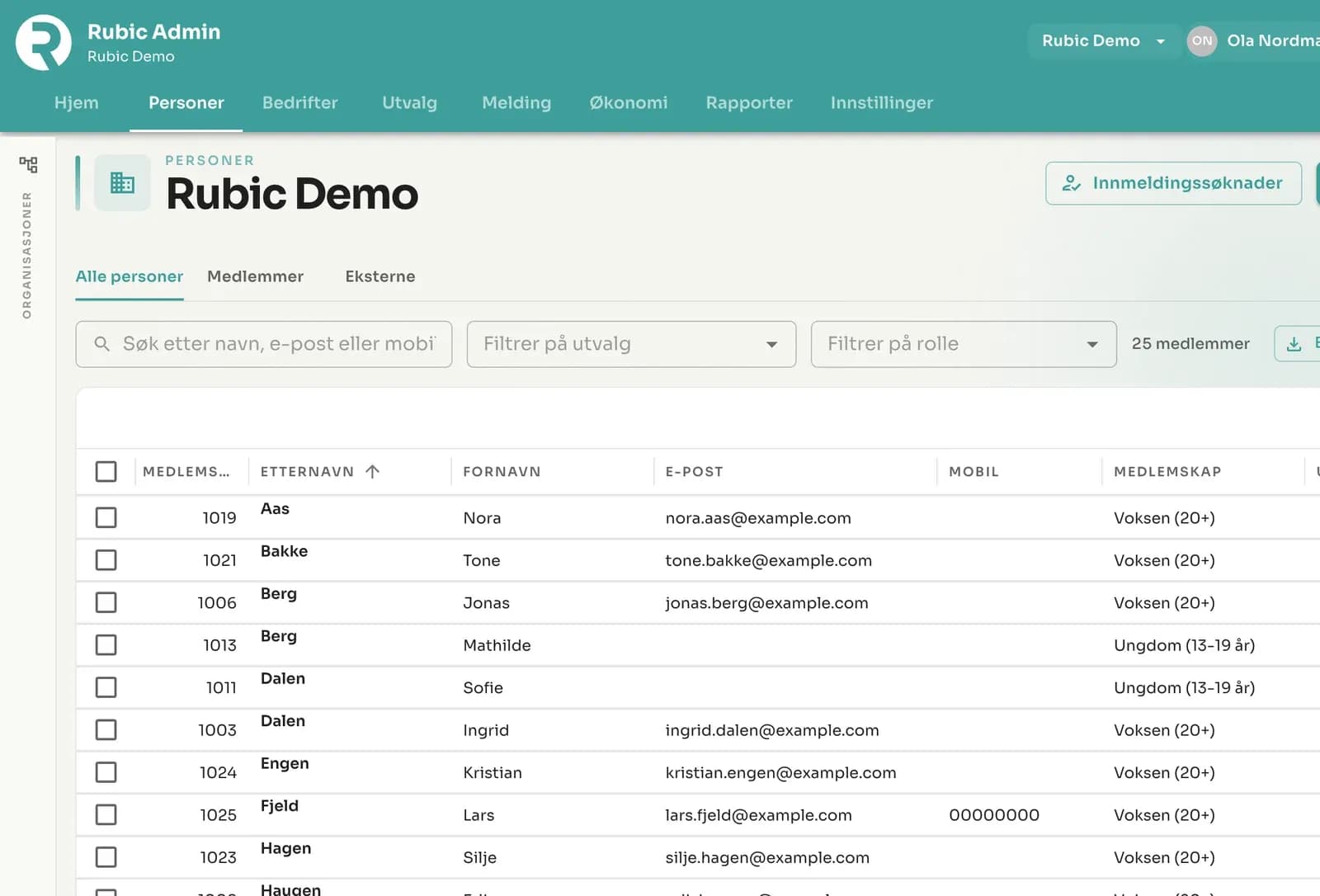
Rubic Admin – the new admin site – is now being rolled out. See what’s new since August, what’s coming in Rubic Connect, and how your organisation gets access.
Summer hasn’t been quiet for us. Our developers have shipped more than 20 releases since August, and the biggest news is that Rubic Admin – our new admin site – is now being rolled out to customers. Here are the most important things that have happened, what’s coming in the app, and how your club or association gets access.
Rubic Admin: the new admin site
Rubic Admin is the new administration interface that replaces the old membership module. Same data, same members – but faster, tidier and built for how clubs and associations actually work in 2026.
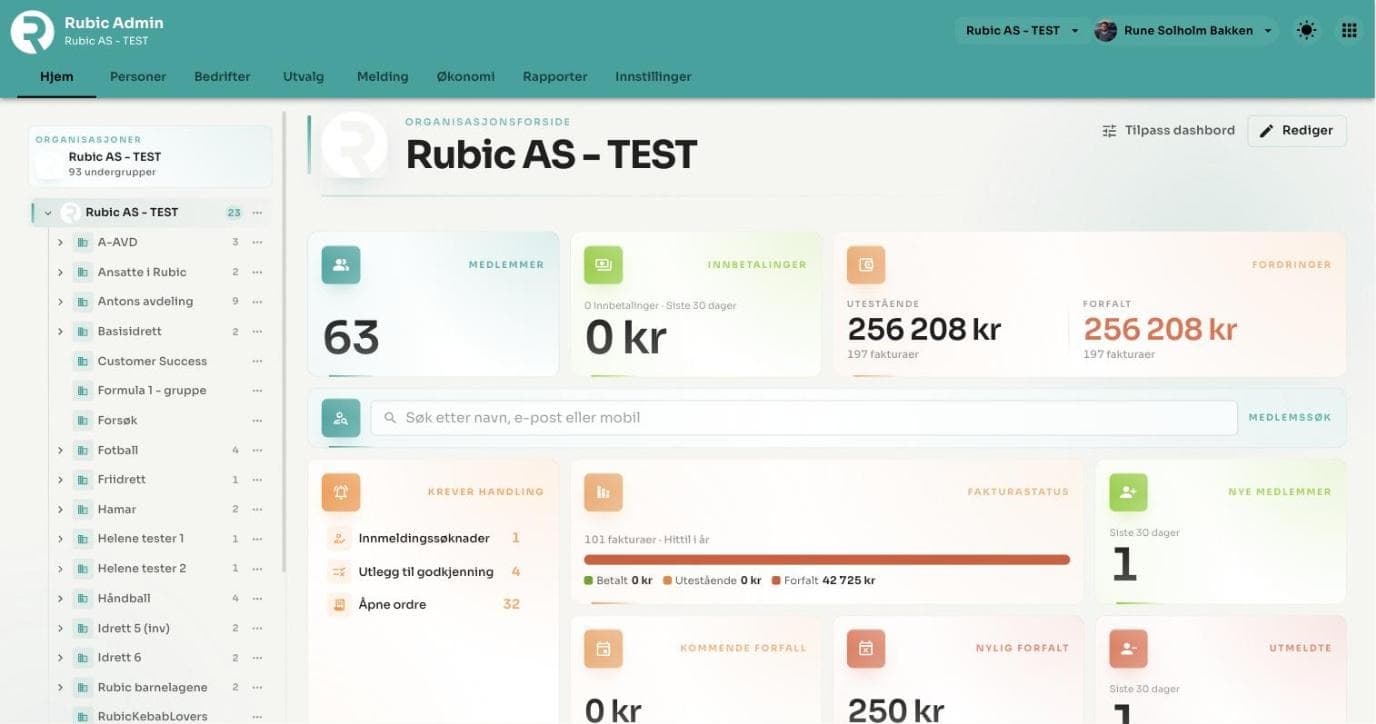
The organisation home page in Rubic Admin: members, incoming payments, receivables and anything that needs action – on one screen.
Here’s what has arrived in Rubic Admin in recent weeks:
- Duplicate search and merging. Rubic finds people who are registered more than once, shows you what was changed most recently, and lets you merge them with one click. Messages and history come along too.
- Better person search. Searching by first name and surname now finds a match even if the person has a middle name – and in any order.
- Re-joining without hassle. If a former member joins again, their old membership is reopened. The membership number is kept.
- New reports. Finance and settlements, membership reports, an SMS report with drill-down and member distribution (formerly the sports reporting) – gathered in one place.
- Membership fees per department. Remittance of membership fees can now be done per department or group, and accounting departments can be placed at sub-levels of the organisation.
- Manual payment reminders straight from the invoice journal when you need them.
- SMS with the club’s short name as sender on invoices and reminders – not the full organisation name.
- Reserve now, charge later. The payment can be reserved and only charged once the booking or registration has been approved.
- Nordic languages available directly in the top menu.
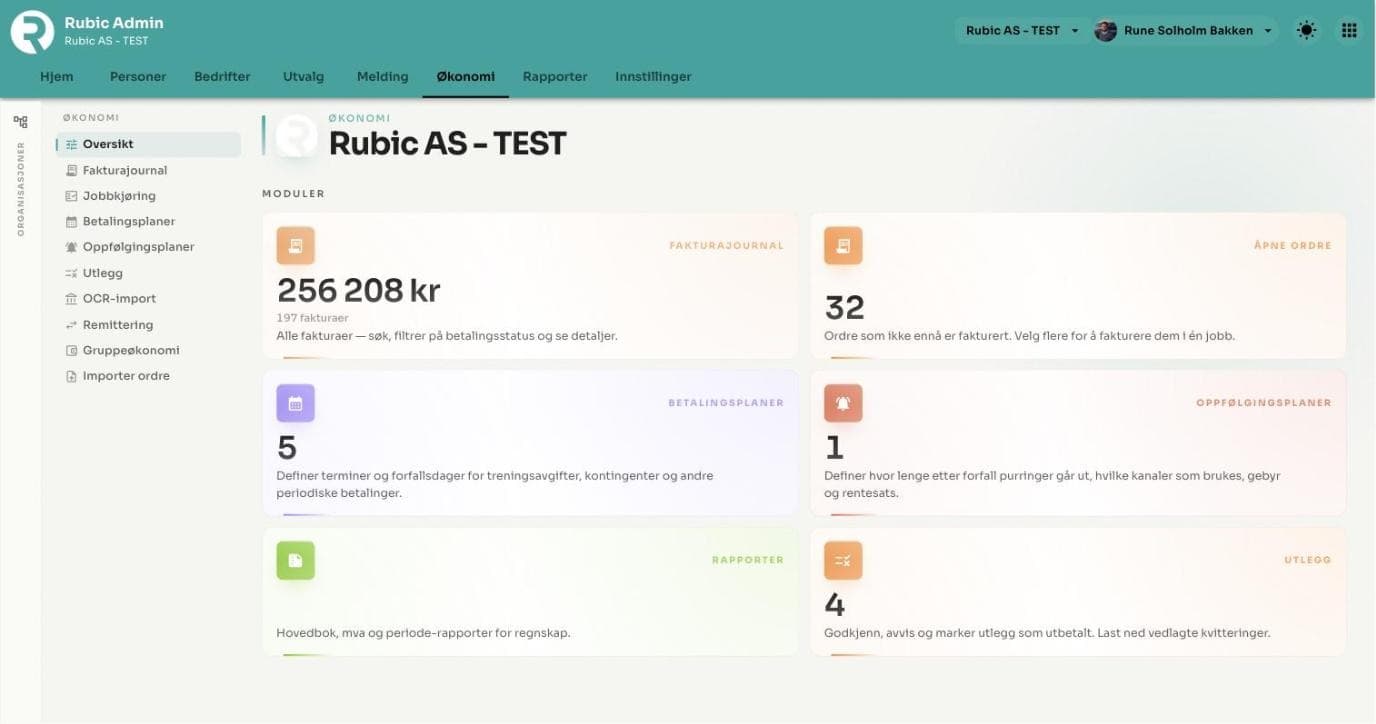
Finance in Rubic Admin: invoice journal, open orders, payment plans, follow-up plans and expenses.
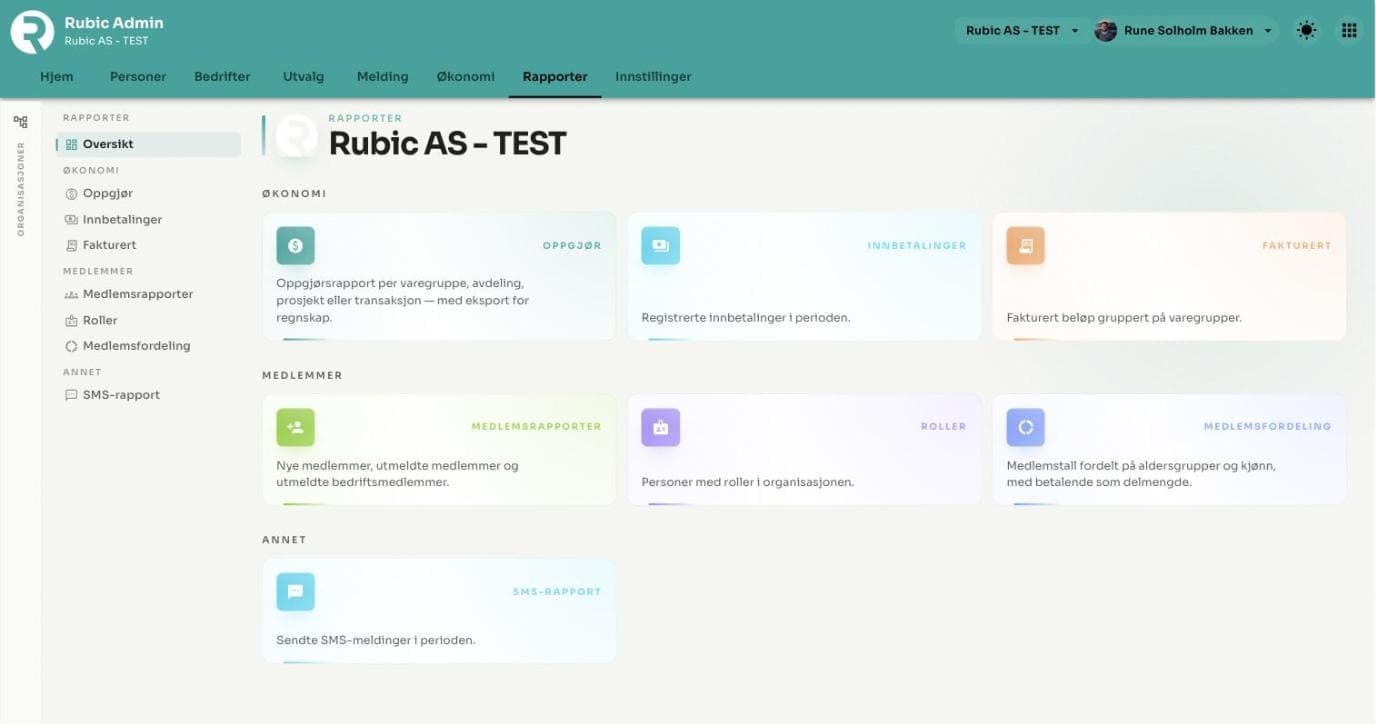
The reports are gathered in one place: settlements, incoming payments, invoiced, membership reports, roles, member distribution and SMS.
How to get access to Rubic Admin
Rubic Admin is switched on per organisation. We do it together with you, so that the transition is safe and no data falls through the cracks.
Contact support at rubic.zendesk.com or post@rubic.no, and we’ll set up your club or association on the new admin site. Feel free to let us know who your main administrator is, and we’ll take it from there.
Rubic Portal: create activities and record attendance
Rubic Portal for members and group administrators has had its biggest update since launch:
- You can now create activities directly in the portal – choose a template, choose a group, fill in the rest.
- Attendance can be recorded for activities, and under Activity reports you can see attendance per person, per activity and per group – with trends over time. The reports can be exported.
- Under My activities, each member can see their own attendance percentage, what’s awaiting a response, and their history.
- The calendar now has a month view, and the member list lets you move, remove roles from and deregister several members in one operation.
- The “What’s new” menu item shows the latest changes in the portal – so you don’t have to go looking.
Rubic Location: an easier calendar on mobile
Booking pitches and premises has become significantly better on mobile. The open calendar now shows the week with all locations at once, the search field in the agenda view finds bookings by title and place, and locations that other organisations have shared with you are shown in a separate list. The “Customer invoice” report can now be shown for the whole year, and bookings imported from FIKS are clearly marked.
Rubic Organizer and Accreditation: better control for event organisers
For those of you who manage volunteers and accreditation for events:
- Change history on shifts and affiliations – see who changed what, and when.
- New access report in Organizer with filtering, export of contacts and sending to multiple recipients.
- In Accreditation, application forms can now include images, the reports remember your filters, and a new report shows cards without allocation – issued cards that the person is no longer entitled to.
Coming soon: a major update to Rubic Connect
The Rubic Connect app is getting a major update during the autumn. The development team has already laid the foundations, and this is what you can look forward to:
- A new flow for adding activities in the app, with address search so coaches don’t have to type in the address manually.
- Contact sharing – contact cards with consent, so parents and team managers can find each other without sharing lists on the side.
- Team account and expenses in the app – coaches and team managers get an overview of the team’s finances and can submit expense claims directly from their phone.
- Better notifications – the unread count resets when you open your notifications, and those responsible for an activity can be chosen as recipients of messages.
We’ll be back with a date and a dedicated walkthrough when the update is released.
Ready for the new admin site?
If you have questions about any of this, support will be happy to help. Contact support – and we’ll set up Rubic Admin for your organisation.
Rubic is part of ECIT.